
Product

One application for the state of the Mac.

Protection status, storage recovery, and performance in a single native app for Apple silicon and Intel. macOS 13 and later.

Protection

Status you can read.

Scanner, firewall state, web protection, and malware definitions share one status. When an item is stopped, the log records what it was and when.

  • Protection modules with a clear on or off state
  • Files in view, threats stopped, and the last scan time
  • Reports stored in the application on the Mac
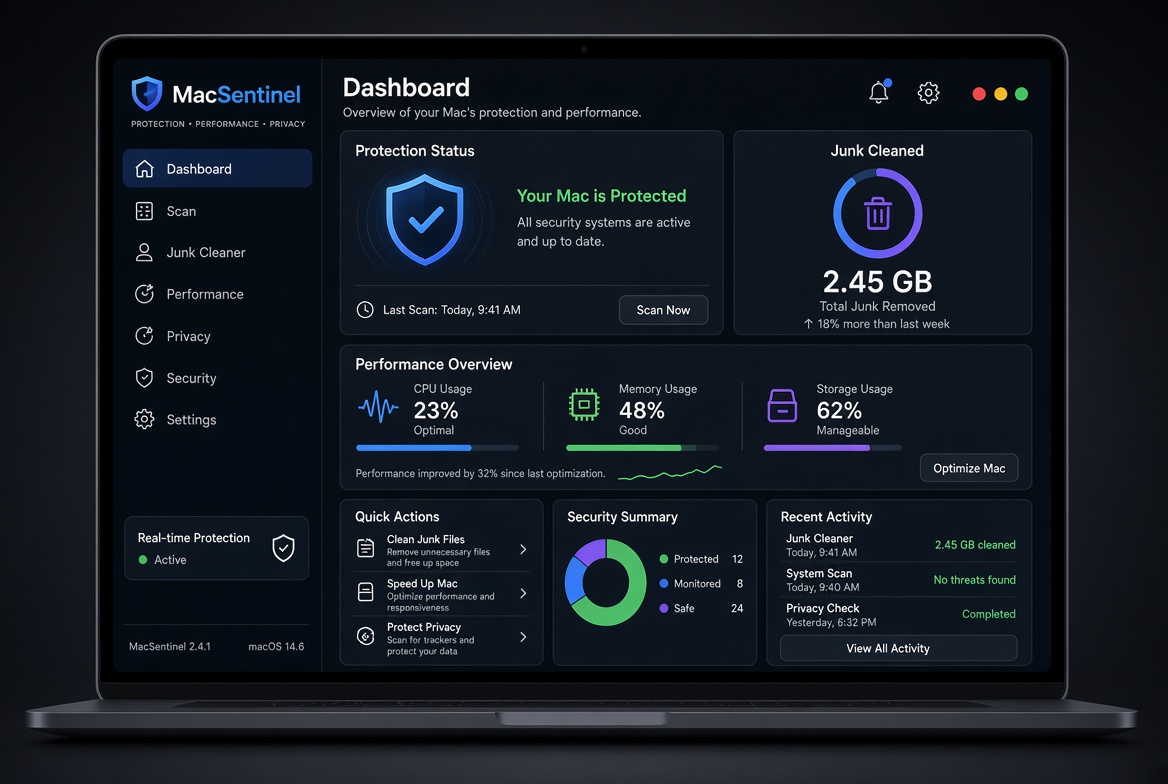
MacSentinel Pro dashboard with protection status and performance overview

Cleanup

Categories the cleaner reviews before removal.

Reviewed before removal Trash first
  1. User cachesIncluded
  2. Application leftoversIncluded
  3. LogsIncluded
  4. Old installersIncluded

You approve the list. Removed files are placed in the Trash.

Storage

Space returned with a list.

The cleaner covers caches, logs, old installers, and leftovers from common developer, browser, and creative applications. Each path is shown before anything is removed.

  • User and system caches, selected individually
  • Uninstaller for files an application left behind
  • Removed items stay in the Trash until you empty it

Also included

  • CPU, memory, and disk, with the processes using them
  • Privacy checklist for analytics, tracking, and local network prompts
  • Startup list so login items can be turned down
  • Signed and notarized build for distribution

Permissions

Full Disk Access Required to list caches and leftovers outside the app sandbox. Access is granted and revoked in System Settings.
Administrator Requested only when you choose to clear a system cache.
Network Used when you start an update check. Scanning and cleanup run without a connection.

Requirements

macOSVentura 13 or later
ChipApple silicon or Intel
LicensePersonal covers one Mac. Pro Duo covers two. A seat can be moved when a machine is retired.
UpdatesIncluded for version 1. A later major version is a separate purchase.

View licenses